How to Get More Google Reviews (No Begging)
Learn how to get more Google reviews the right way: no begging, no buying, no policy violations. A practical system that works for any small business.
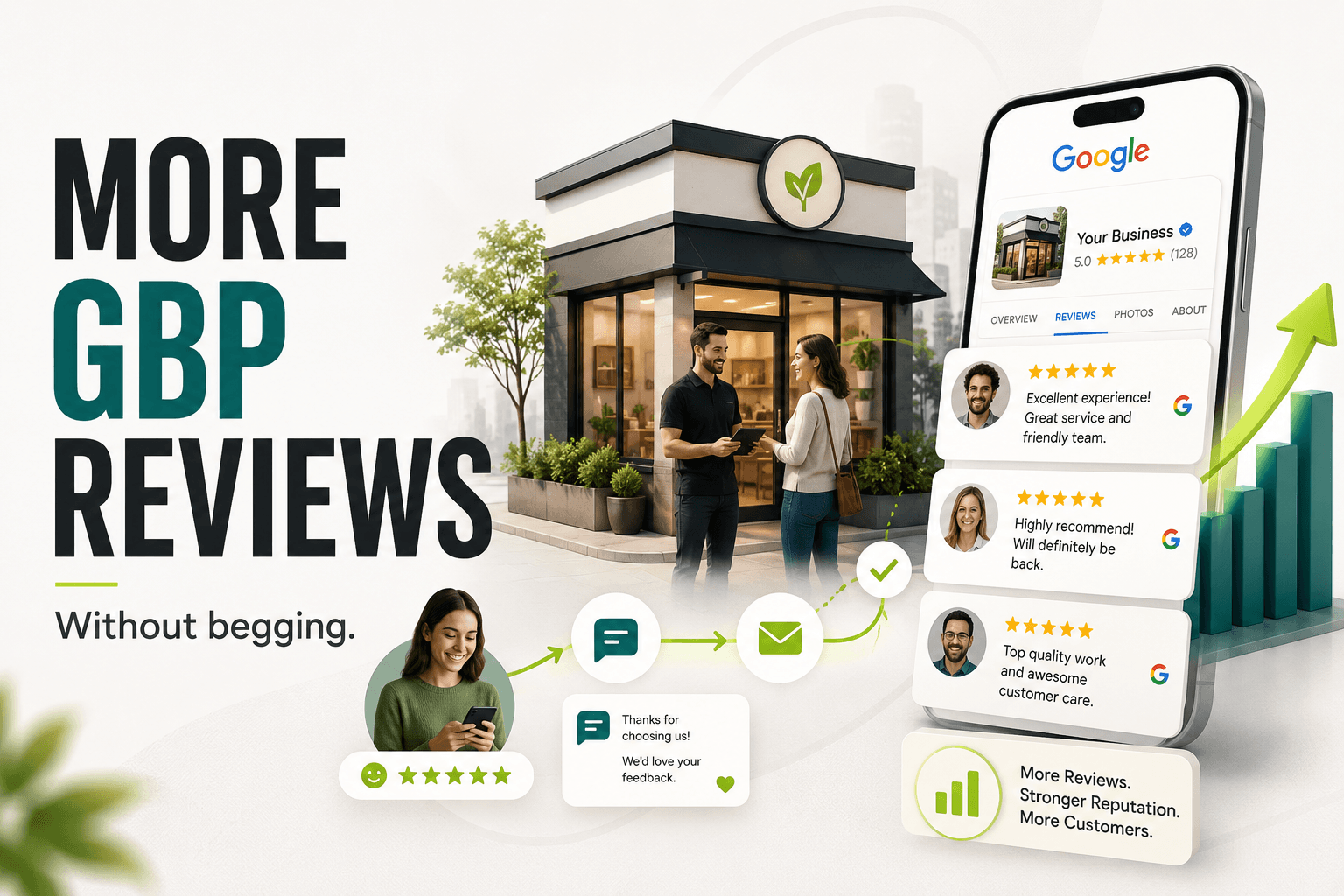
The most reliable way to get more Google reviews is to build a simple, repeatable system that asks satisfied customers at the right moment and makes leaving a review nearly effortless. It has nothing to do with begging, and it should never involve paying for reviews or offering discounts in exchange for them.
Both of those shortcuts violate Google's policies, and both tend to produce reviews that read as fake, which customers notice just as fast as Google does. What actually moves the needle is timing, ease, and consistency. This guide walks through exactly how to set that up.
Why Do Common Review Tactics Backfire?
Most businesses try one of two approaches: asking awkwardly and inconsistently, or trying to buy their way to a higher star rating. Neither works well, and both can actively hurt the business.
The Begging Problem
Asking a customer to "please leave us a review, it really helps us out" puts the request on the business's terms, not the customer's. It's easy to ignore, and it rarely gets repeated. Worse, it's usually a one-off effort tied to whichever employee remembers to ask that week, which means review volume stalls the moment that person gets busy or leaves.
The Buying Problem
Offering a discount, gift card, or free service in exchange for a review is against Google's guidelines, regardless of whether the reviewer is asked to leave a positive rating specifically. Google can detect patterns of incentivized or bulk-purchased reviews, and businesses caught doing it risk having reviews removed or their entire Google Business Profile suspended. That's a steep price to pay for a handful of extra stars.
If your Google Business Profile has other gaps beyond reviews, our Google Business Profile optimization checklist covers the full set of factors that affect local rankings.
When Is the Best Time to Ask for a Review?
Timing matters more than wording. The best moment to ask is right after a customer experiences the value of your work, while the outcome is still fresh and the goodwill is at its peak. Waiting a week, or asking during a slow follow-up email three months later, dramatically lowers response rates.
REVIEW REQUEST TIMELINE
- Job or purchase completedDAY 0
- Thank-you message sentWITHIN 24 HRS
- Review request sentDAY 1-2
- Gentle reminderDAY 5-7
- Owner replies to reviewONGOING
This sequence works for almost any service business, from a one-visit contractor job to a multi-week project. The key is that the request is tied to a specific, recent experience, not a generic "how are we doing" check-in.
For businesses with recurring customers, like restaurants or retail, the trigger is different. A short-lived promotion, a receipt with a QR code, or a follow-up text after a first-time visit can serve the same purpose: catching the customer close to the moment of satisfaction.
How Do You Make Leaving a Review Almost Effortless?
Every extra step between the ask and the review reduces how many customers follow through. The goal is to get someone from "sure, I'll do that" to a submitted review in under a minute.
WAYS TO ASK
- Text message with direct linkSent right after service or deliveryHigh open ratesBest for most
- Email in the receipt or invoiceAutomated, no extra staff effortEasy to scale
- Printed card or QR codeHanded over at checkoutGood for in-person
- Verbal ask plus follow-upStaff mentions it, system follows upReinforces the ask
The common thread across all of these methods is the direct review link. Google Business Profile lets you generate a short link that takes the customer straight to the star-rating screen, skipping the step where they have to search for your business themselves. If your team is manually typing out review requests, this single change alone tends to improve completion rates.
- Get your direct Google review link from your Google Business Profile dashboard and save it somewhere your team can grab it quickly.
- Keep the request short: one sentence explaining why you're asking, then the link.
- Send it from a real person's name whenever possible, not a generic "no-reply" address.
- Automate the send so it doesn't depend on someone remembering to do it manually.
- Test text versus email if you're not sure which your customers respond to better.
If your team doesn't have time to send these manually after every job, this is exactly the kind of repetitive task that AI automation tools are built for. A completed-job trigger can fire off a review request text automatically, with zero extra steps for your staff.
What Should You Never Do to Get Reviews?
Google's guidelines are specific about what counts as a manipulated review, and enforcement has gotten more aggressive over time. Two practices are worth calling out because they're common and both carry real risk.
Incentivized Reviews
Offering anything of value, a discount, a raffle entry, a free add-on, in exchange for a review violates Google's policy, even if you don't specify that the review has to be positive. If Google detects a pattern of incentivized reviews, it can remove them in bulk and flag the profile.
Review Gating
Review gating is the practice of asking customers how their experience was first, then only sending happy customers on to leave a public review while quietly redirecting unhappy ones elsewhere. This is also against Google's guidelines. Every customer should get the same review request, regardless of how the interaction went.
REVIEW REQUEST DO'S AND DON'TS
- Ask every customer the same wayNo filtering by expected sentiment
- Send the direct review linkSkip the extra searching step
- Respond to every review, good or bad
- Offer discounts for 5-star reviewsViolates Google's guidelines
- Only ask customers you expect to raveReview gating, also against policy
- Post reviews from staff or family accountsEasily detected, easily removed
These rules exist because Google's whole ranking system depends on reviews being genuine signals of customer experience. Businesses that game the system tend to get caught, and the cleanup after a suspension takes far longer than the effort it would have taken to build reviews the right way from the start.
How Do You Respond to a Negative Review?
You will eventually get a negative review, even with excellent service. How you respond matters almost as much as the review itself, because prospective customers read the replies too.
- Respond promptly. A reply within a day or two shows you're paying attention.
- Stay factual and calm. Avoid arguing or getting defensive in the reply.
- Acknowledge the specific complaint rather than giving a generic apology.
- Offer to resolve the issue offline with a phone number or direct contact.
- Never ask the reviewer to take the review down. Instead, earn a follow-up update if the issue gets resolved.
A thoughtful public response to a bad review often does more for your reputation than another five-star review would. It shows that a real business, not a faceless brand, is on the other end paying attention.
How Do You Build a Review System That Keeps Working?
One-time pushes for reviews produce a short spike, then flatline. A system produces a steady trickle month after month, which matters because Google weighs both the total number and the recency of reviews when ranking local businesses.
- Standardize the trigger: every completed job, delivery, or paid invoice fires the same review request automatically.
- Track requests sent versus reviews received so you know if response rates are dropping off.
- Rotate reminder language occasionally so it doesn't feel copy-pasted to repeat customers.
- Make responding to new reviews a weekly task, not an occasional one.
- Review your Google Business Profile monthly to make sure the review link, hours, and categories are still accurate.
Reviews are also one piece of a larger local visibility puzzle. Star ratings and review count feed into how you rank in the map pack, alongside citations, categories, and on-page signals. Our local SEO strategy guide for San Diego businesses covers how those pieces fit together, and local SEO, including review management, is included in every SEO plan we run.
Key Takeaways and What to Do This Week
Getting more Google reviews comes down to three things: asking at the right moment, removing friction from the process, and doing it consistently instead of in occasional bursts. Skip anything that involves paying for reviews or filtering out unhappy customers before they leave one. Those shortcuts risk Google penalties that are far more costly than a slower, honest climb in star rating.
This week, you can make real progress without any new tools. Pull your direct Google review link from your Google Business Profile dashboard. Draft a short thank-you text or email template that includes it. Pick one moment in your customer journey, right after service, right after delivery, right after checkout, and start sending that request every single time, to every single customer.
If you'd rather have the review system, the review responses, and the rest of your Google Business Profile handled for you, that's exactly the kind of ongoing work our local SEO team manages for clients. Book a call and we'll take a look at where your reviews and local visibility currently stand.