Why Conversion Tracking Is Google Ads' Backbone
Conversion tracking tells Google Ads what a customer is worth. Learn why it matters more than keywords or budget, and how to set it up correctly.
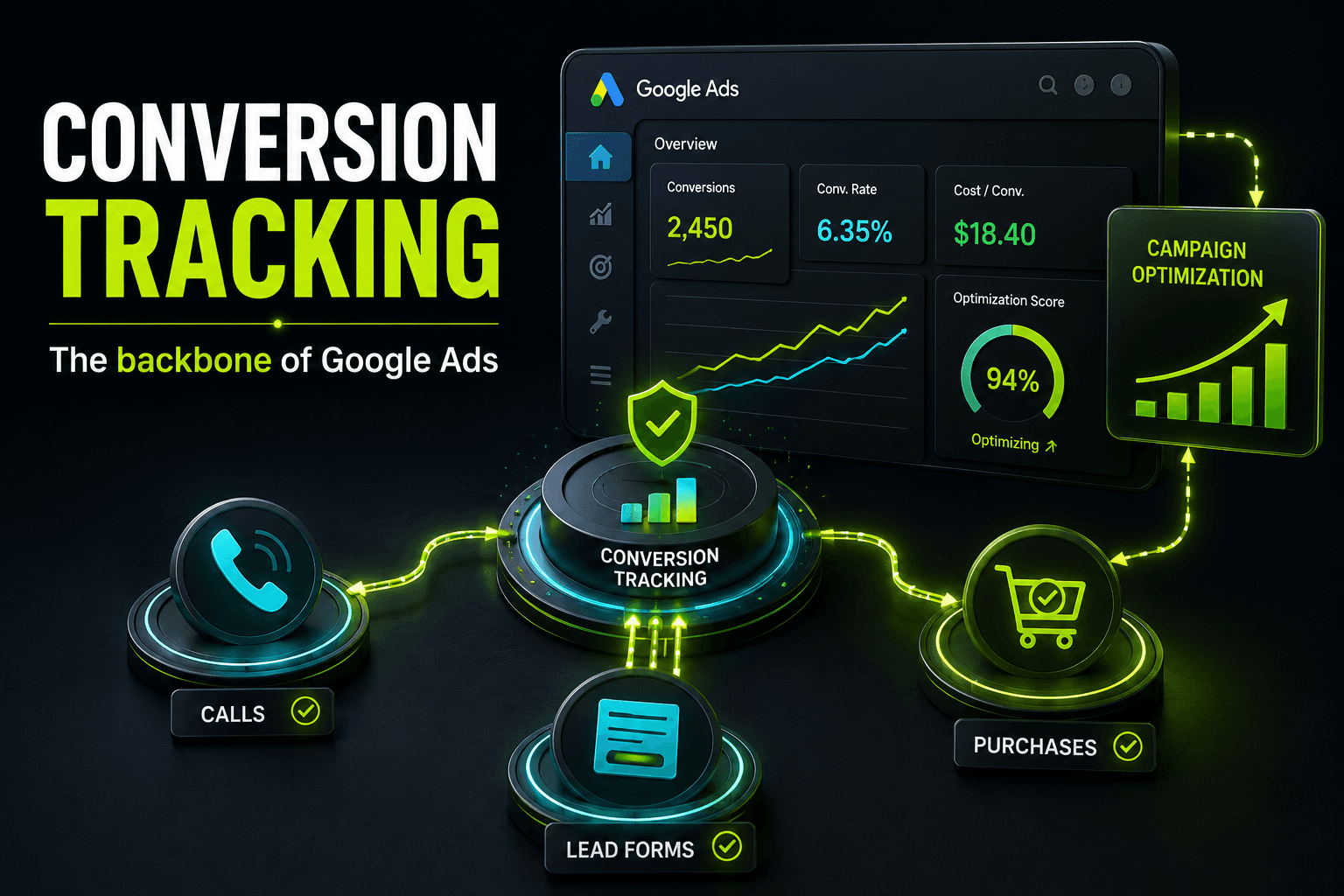
Conversion tracking is the most important part of Google Ads because it's the only mechanism that tells the platform what actually happened after someone clicked your ad. Keywords, bids, and ad copy all matter, but none of them work well without accurate data on which clicks turned into calls, leads, or sales.
Without conversion tracking, Google Ads has no way to learn what a good customer looks like. It optimizes toward clicks and impressions instead of results, which means you can spend thousands of dollars a month while the algorithm chases the wrong signal entirely.
What Conversion Tracking Actually Does
Every time someone completes an action you care about, a form submission, a phone call, a purchase, a booking, conversion tracking records it and sends that data back into your Google Ads account. That data does two jobs at once.
- It tells you which keywords, ads, and campaigns are producing real business results, not just traffic.
- It feeds Google's Smart Bidding algorithms, which use conversion history to decide who to show your ads to and how much to bid for that click.
Without that second piece, automated bidding strategies like Target CPA, Target ROAS, and Maximize Conversions have nothing to optimize toward. They'll still spend your budget, but they'll do it based on guesswork rather than evidence.
Why Conversion Tracking Matters More Than Keywords or Budget
It's tempting to think the most important decisions in Google Ads are which keywords to bid on or how much budget to allocate. Those decisions matter, but they're downstream of conversion data. If your tracking is wrong, every decision built on top of it is wrong too.
Without It, the Algorithm Is Flying Blind
Modern Google Ads accounts lean heavily on automated bidding. Google's own guidance recommends that campaigns using Target CPA or Target ROAS bidding have a consistent volume of conversions, generally around 30 conversions in the prior 30 days, before the algorithm has enough data to optimize reliably. Accounts with broken or missing tracking rarely hit that bar in any meaningful way, even if they're generating plenty of real leads offline.
Without It, You Can't Tell What's Working
A campaign with a high click-through rate can still be a financial loser if none of those clicks turn into customers. Conversely, a campaign with a mediocre click-through rate can be extremely profitable if it's attracting the right people. You only know the difference if conversions are tracked accurately down to the campaign and keyword level.
WHERE CONVERSION DATA GOES
- Phone call conversionTrains Smart Bidding
- Form submissionSignals lead quality
- Online purchase valuePowers ROAS bidding
- Store visit importShows offline impact
- Untracked clickWasted ad spend
Notice that the untracked click still costs money. It just never becomes useful information. In the accounts we manage, this is one of the most common reasons a campaign looks unprofitable on paper while the business owner insists the phone is ringing. The calls are happening. Google just doesn't know about them.
This is also why two businesses can spend the exact same budget and get wildly different results. One account is teaching Google what a good customer looks like every single day. The other is guessing. For a deeper look at how budget size interacts with results, see our guide on how much a small business should spend on Google Ads.
What Should You Actually Track as a Conversion?
Not every action on your site deserves equal weight. The goal is to track the actions that correlate with real revenue, and to be honest about which ones are primary indicators of a sale versus early-stage interest.
- Phone calls that last long enough to be a real conversation, not a missed call or hang-up
- Form submissions for quotes, estimates, appointments, or consultations
- Completed purchases, ideally with order value attached
- Booking confirmations for appointment-based businesses
- Chat conversations that reach a qualifying question, not just a chat window opening
- Offline conversions imported from your CRM, such as closed deals or signed contracts
Businesses that rely on phone calls, like contractors, auto shops, and med spas, often get this wrong by tracking every call regardless of length. A one-second missed call and a five-minute booking conversation are not the same event, and treating them the same tells Google's bidding algorithm to chase the wrong kind of caller.
How to Set Up Conversion Tracking Correctly
Choose the Right Tracking Method
Google Ads offers a few ways to capture conversions, and most mature accounts end up using more than one:
- The Google Ads tag placed directly on your confirmation or thank-you page
- Google Tag Manager, which makes it easier to manage multiple tracking events without editing site code every time
- Importing conversions from Google Analytics 4, useful for tracking engaged sessions or on-site events
- Call tracking, either through Google's own call conversion tracking or a third-party call tracking number
- Offline conversion imports, which upload closed-deal data from your CRM back into Google Ads days or weeks after the click
Set Primary vs. Secondary Conversion Actions
Google Ads lets you mark conversion actions as primary or secondary. Primary actions are the ones Smart Bidding actively optimizes toward. Secondary actions are recorded for reporting but don't influence bidding decisions. Getting this distinction right matters. If a low-value action like a newsletter signup is marked primary alongside your actual sales conversions, the algorithm will happily go chase more newsletter signups instead of buyers.
AUDIT YOUR TRACKING THIS WEEK
- Check the Conversions pageDAY 1
- Run a real test conversionDAY 2-3
- Compare Ads data to your CRMDAY 4
- Set primary vs secondary actionsDAY 5
This kind of audit is also the first thing worth doing before adjusting bids, expanding keywords, or increasing budget. It's tempting to chase performance problems with bigger changes, but if the underlying data is broken, those changes are built on sand. If you're not sure where your account stands, a free Google Ads audit is a low-effort way to find out before spending more.
Common Conversion Tracking Mistakes That Skew Your Data
CONVERSION TRACKING: DO THIS, NOT THAT
- Count one conversion per completed leadKeeps cost-per-lead numbers accurate
- Count every page view as a conversionInflates numbers and confuses bidding
- Only count calls over 60 secondsFilters out wrong numbers and hang-ups
- Count every incoming call, including missed onesTells the algorithm to chase bad calls
- Import offline sales data on a regular scheduleConnects ad spend to real revenue
- Leave duplicate conversion tags firing on one pageDouble counts and overstates results
Duplicate tags are one of the sneakiest issues we see. If both a Google Ads tag and a Google Tag Manager trigger fire on the same thank-you page, every form fill gets logged as two conversions. The account looks like it's performing twice as well as it actually is, which leads to bad decisions about which campaigns deserve more budget.
Attribution settings can cause similar confusion. Google Ads defaults to data-driven attribution in most accounts now, which spreads credit across the touchpoints that led to a conversion. That's usually the right choice, but it's worth understanding rather than ignoring, especially if you're comparing performance against a different platform's attribution model.
How Better Conversion Data Improves Performance Over Time
Accurate conversion tracking doesn't just make your reporting more honest. It actively improves campaign performance because Smart Bidding gets sharper every time it has more reliable data to learn from. Accounts with clean tracking tend to see bid strategies stabilize faster and waste less spend testing audiences that were never going to convert.
We've seen this play out directly in accounts we manage. Belcrete Concrete Services cut cost per click by more than 50% and grew its conversion rate from effectively zero to 20 to 30 percent after tightening its search targeting and tracking setup. Magnolia Smog Check converted 40 to 45 percent of its ad traffic and tripled customer volume once its local presence and Google Ads tracking were fully aligned. Neither result was possible without knowing, with confidence, which clicks were turning into real customers.
Conversion data also becomes more valuable as your account matures. It's the same information that improves your Quality Score over time, informs how you should adjust budgets seasonally, and helps you decide whether Google Ads or Local Services Ads is the better starting point for your business.
Key Takeaways and Your Next Steps
Conversion tracking is the foundation everything else in Google Ads is built on. Keywords, ad copy, and budget decisions all depend on accurate data about what happens after the click. Get tracking wrong and you're optimizing toward the wrong outcome no matter how well the rest of the account is built.
- Review your Conversions page and confirm every action listed still matters to your business
- Run a real test conversion this week and verify it shows up correctly in Google Ads
- Decide which actions are primary conversions that should drive Smart Bidding, and which are secondary
- Set a minimum call duration so short or missed calls don't count as conversions
- If you have a CRM, start importing offline conversions so closed deals connect back to ad spend
Most of this can be done without outside help if you're comfortable in the Google Ads interface. If you'd rather have someone confirm your tracking is set up correctly and actually driving the right kind of growth, our Google Ads management team can review your account, or you can start with a free Google Ads audit to see exactly where things stand before committing to anything.