Google Ads San Diego: Why Most Campaigns Fail
Most San Diego Google Ads accounts fail for the same five reasons. Learn what they are, how to spot them, and how to fix a campaign that isn't converting.
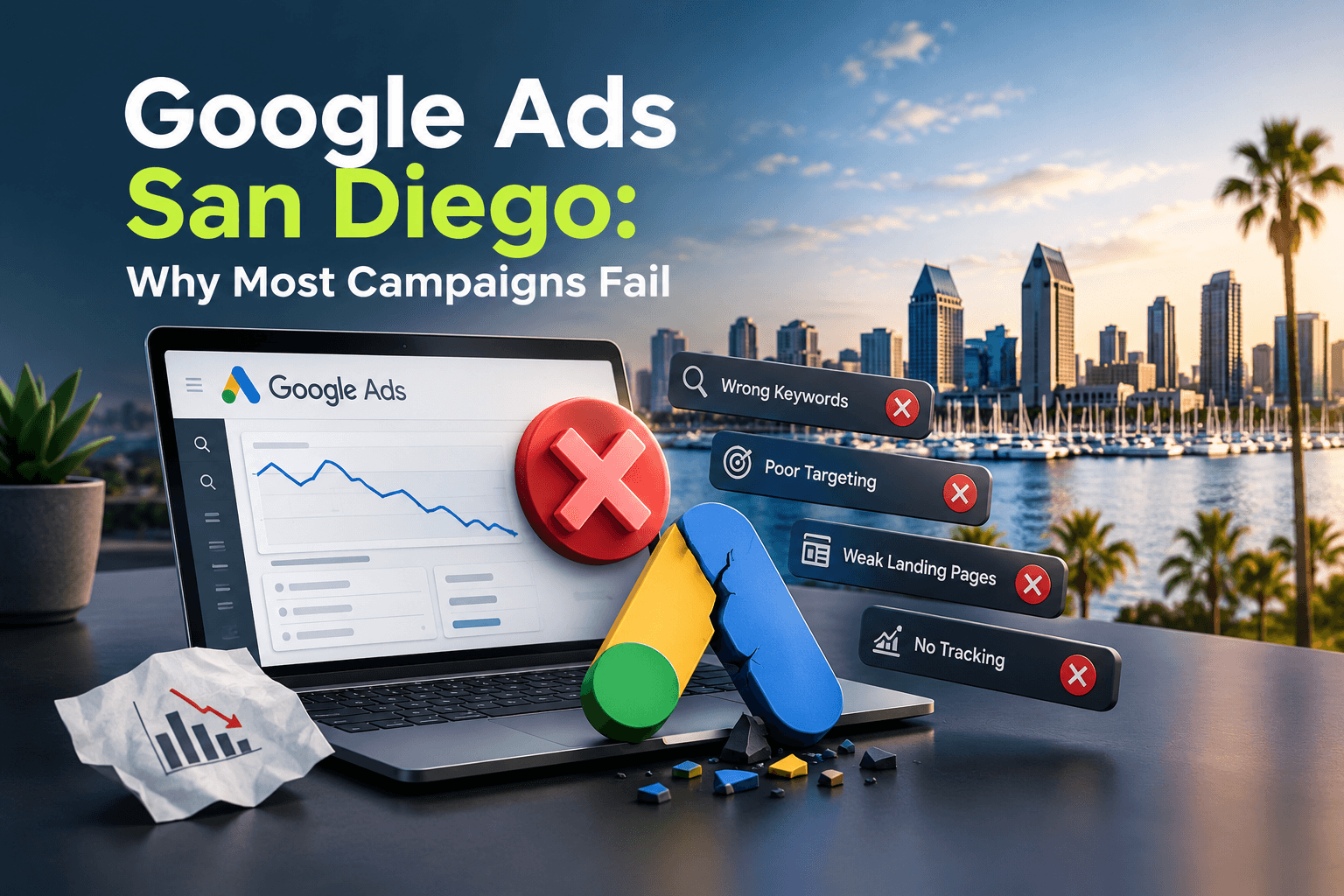
Most Google Ads campaigns in San Diego fail for the same handful of predictable reasons: broken or missing conversion tracking, keyword targeting that's too broad, landing pages that don't match what the searcher clicked on, and accounts that get switched on once and never touched again. Any one of these can quietly drain a monthly budget without producing a single qualified lead.
The good news is that none of these problems are mysterious. In the accounts we manage, we see the same issues surface across industries, from concrete contractors to restaurants to smog check stations. Google Ads isn't broken as a platform. It's usually the setup and ongoing management that's missing something basic. This article walks through the five most common failure points, how to spot them in your own account, and what a properly managed campaign looks like instead.
Mistake #1: Conversion Tracking Is Missing or Broken
Google's bidding systems, including Smart Bidding strategies like Maximize Conversions and Target CPA, rely entirely on the conversion data you feed them. If that data is wrong, the algorithm optimizes toward the wrong outcome. It might chase form submissions that were actually spam, miss phone calls entirely, or count a page view as a sale.
This is the single most common issue we find when we open an account for the first time. A campaign can run for months looking active and reasonably priced while the tracking underneath it has been silently broken since a website update.
Signs Your Tracking Is Broken
- Conversion numbers in Google Ads don't match the leads you actually received
- A website redesign or platform migration happened and no one re-verified tracking afterward
- Phone call conversions aren't set up, so every call-driven lead looks invisible to Google
- Form submissions are counted even when a user just viewed the thank-you page directly
- Conversion actions are marked as both 'primary' and included in bidding when they shouldn't be
Mistake #2: Keywords Are Too Broad, and Negatives Are Missing
Broad match keywords can work well, but only when paired with Smart Bidding, tight audience signals, and an active negative keyword list. Used alone, broad match tends to pull in searches that have nothing to do with the business, and every one of those clicks still costs money.
A negative keyword list is one of the simplest, highest-leverage tools in Google Ads, and it's the piece most accounts skip entirely. Without it, budget leaks out on searches like 'free,' 'jobs,' 'DIY,' or a competitor's brand name.
- Job seekers searching for careers instead of services
- DIY searchers looking for how-to guides, not a contractor
- Free or cheap-intent searches that will never convert at your price point
- Irrelevant geographic terms outside your actual service area
- Competitor brand names that generate clicks but rarely conversions
Mistake #3: The Landing Page Doesn't Match the Ad
A searcher clicks an ad for 'emergency concrete repair' and lands on a generic homepage with a slideshow and a company history section. That mismatch is one of the fastest ways to lose a click that already cost money to earn.
The landing page needs to mirror the intent of the ad and get to the point immediately: what the business does, why this searcher should trust it, and a clear way to call or submit a form. Page speed matters here too. If the page takes several seconds to load, a meaningful share of paid visitors will leave before it even renders. We cover this in more detail in why slow websites lose leads.
Mistake #4: Quality Score and Ad Relevance Get Ignored
Quality Score is Google's estimate of how relevant your keywords, ads, and landing page are to the person searching. A low score doesn't just hurt rankings, it directly raises the price you pay per click. Two advertisers can bid the same amount and pay very different prices because one has tighter ad relevance.
Improving Quality Score usually comes down to keyword-to-ad-copy alignment, tightly themed ad groups, and landing pages that reinforce the same message. We go through the mechanics of this in Google Ads Quality Score: what it is and how to improve it.
Mistake #5: The Campaign Is Set Up Once and Never Touched Again
Google Ads is not a one-time setup. Search terms shift, seasonality changes cost per click, competitors adjust their bids, and new negative keywords need to be added on an ongoing basis. An account that was configured well a year ago can quietly become inefficient without a single setting being 'wrong.'
This is especially true for businesses with busy and slow seasons, where a fixed budget and fixed bids stop matching demand. We wrote about handling this in seasonal Google Ads: adjusting budgets for busy and slow months.
Which Mistake Hurts Your ROI the Most?
MISTAKE IMPACT
- Broken conversion trackingMisleads the algorithm
- Broad match, no negativesWastes daily budget
- Mismatched landing pageKills conversion rate
- Ignored Quality ScoreRaises cost per click
- Set-and-forget managementSlow, steady decay
Notice that the highest-impact mistake isn't a bidding strategy or a budget size, it's a data problem. Once conversion tracking is wrong, every other decision in the account, from bid adjustments to keyword expansion, gets built on a false signal. That's why fixing tracking almost always comes before touching bids or budgets.
The lower-scoring items still matter, but they're easier to course-correct once the foundation is solid. A campaign with clean tracking and a slightly broad keyword list is in far better shape than one with tight keywords sitting on top of broken data.
How Do You Fix a Failing Google Ads Campaign?
FIX ROADMAP
- Audit the accountWEEK 1
- Restructure campaignsWEEK 2
- Fix the landing experienceWEEKS 2-3
- Rebuild negative keywordsONGOING
- Monitor and adjustMONTH 2+
The order matters. Restructuring campaigns before tracking is fixed just means better-organized bad data. Similarly, rewriting ad copy before the landing page is fixed can attract more clicks to a page that still won't convert them.
This is roughly the process we run when we take over an existing account, and the same review we walk through with you on a free strategy call. It's also worth reading how much a small business should spend on Google Ads if budget size, rather than structure, is the question you're trying to answer.
What Does a Well-Managed Campaign Actually Look Like?
REAL RESULTS
- Belcrete Concrete: before2
- Belcrete Concrete: after fix25
- Magnolia Smog Check: conversion rate42
-50%+
Belcrete cost per click
3x
Magnolia customer volume
Belcrete Concrete Services started with a Google Ads account converting at 0%. After a restructure focused on tightly targeted search campaigns, cost per click dropped more than 50% and the conversion rate moved into the 20-30% range. That's the difference tighter keyword targeting and cleaner tracking can make on the exact same platform.
Magnolia Smog Check paired a fully optimized local presence with tightly targeted Google Ads and converted 40-45% of its ad traffic, tripling customer volume in the process. Neither of these results came from a bigger budget. They came from an account structured around real search intent, with a landing experience built to match it.
Businesses evaluating whether Google Ads or Local Services Ads is the better starting point can also read Google Ads vs. Local Services Ads: which should you run first, since the right platform depends on the type of business and how ready your website is to convert traffic.
Key Takeaways and Next Steps
Most Google Ads campaigns fail because of a small number of fixable problems: broken conversion tracking, keyword targeting that's too broad, a landing page that doesn't match the ad, ignored Quality Score, and an account that hasn't been actively managed since launch. None of these require a bigger budget to fix. They require attention to structure and data.
This week, you can take a few concrete steps yourself:
- Log into Google Ads and confirm your conversion actions match the leads you actually received last month
- Pull your search terms report and add at least 10 obvious negative keywords
- Click your own top three ads and check whether the landing page matches what the ad promises
- Check your Quality Score column for any keyword scoring 1-5 and note it for review
If that audit turns up more than you want to manage on your own, or you'd simply rather have a second set of eyes confirm the account is structured correctly, book a free strategy call and we'll walk through tracking, keyword structure, and Quality Score with you at no cost. Our Google Ads management plans start from $750/month, and you can see how that fits alongside other channels on our pricing page.