Negative Keywords: Stop Wasting Google Ads Budget
Learn how negative keywords stop wasted clicks in Google Ads, where to find them, and how to build a list that protects budget without blocking real leads.
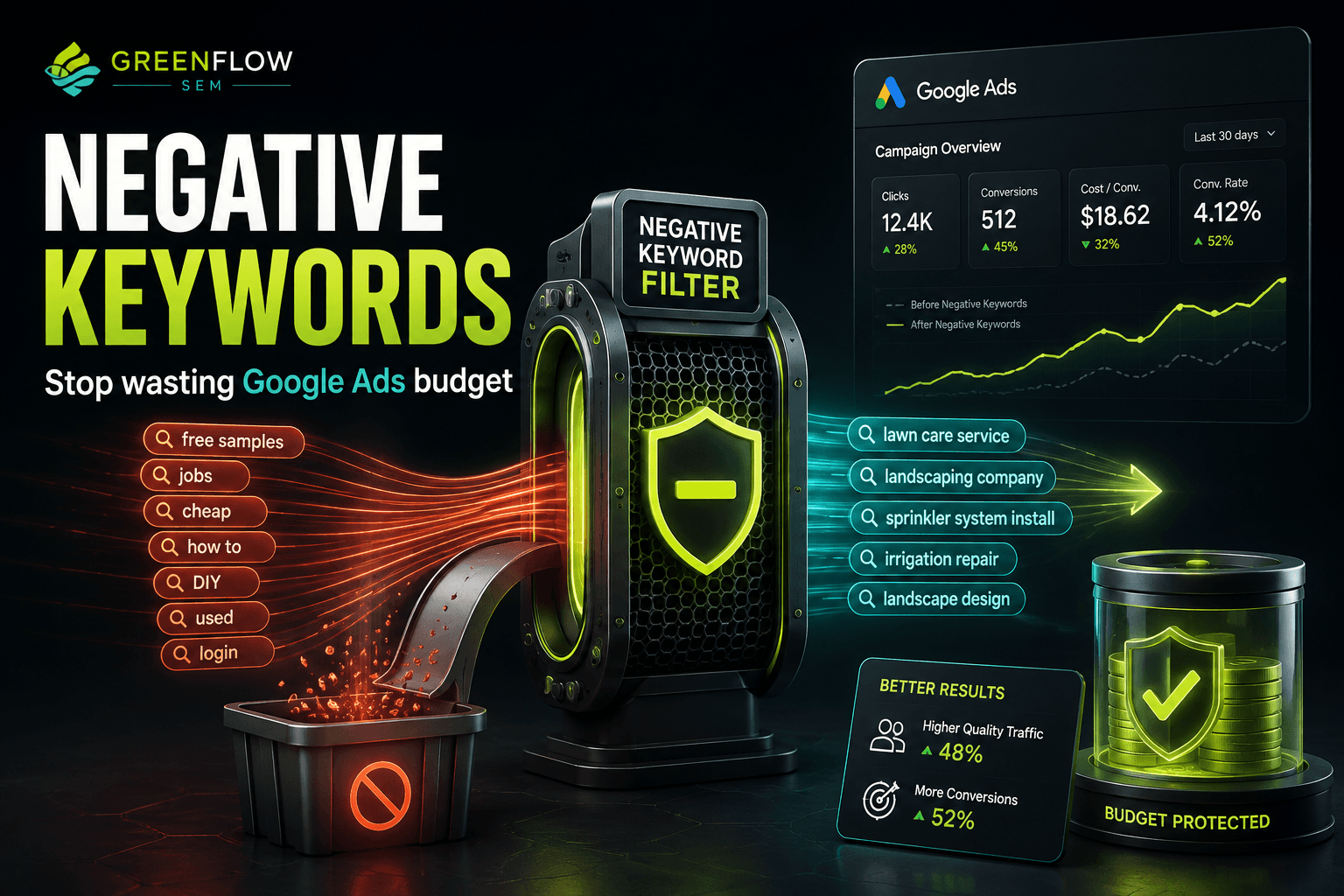
Negative keywords are the search terms you tell Google Ads to exclude from triggering your ads. Adding the right ones is the fastest way to stop wasting budget because it cuts off spend on clicks that were never going to convert, sometimes within a day of making the change.
Most accounts we review have never had a real negative keyword pass. That means a portion of every dollar spent is going to searches for jobs, DIY tutorials, free information, or services the business does not even offer. This post walks through where that waste hides, how to find it, and how to build a negative keyword list that protects budget without accidentally blocking the customers you actually want.
How Do Irrelevant Clicks Quietly Drain Your Budget?
Google Ads matches your keywords to a much wider range of searches than most business owners realize, especially on broad and phrase match. A keyword like "concrete contractor" can trigger ads on searches like "concrete contractor jobs near me" or "how to become a concrete contractor." Those clicks cost the same as a click from someone ready to hire, but they almost never convert.
Because Google Ads bills per click regardless of intent, this mismatch is invisible unless someone is actually reading the search terms report. It does not show up as an error or a warning. It just shows up as a slightly higher cost per lead, month after month, until someone traces it back to the source.
WHERE SEARCH CLICKS GO
- concrete contractor jobsWasted click
- DIY concrete patioWasted click
- free concrete estimate appLow-value click
- concrete driveway repair near meQualified lead
- commercial concrete contractor quoteQualified lead
Notice that the qualified searches and the wasted ones can share the same root keyword. That is exactly why negative keywords matter so much. Pausing the keyword entirely would cost you real leads. Adding negatives lets you keep the keyword and cut only the part of the traffic that was never going to convert.
This is also why cost per click and conversion rate are two of the numbers worth watching closely. We cover these and the other metrics that matter most in 10 Google Ads Metrics Every Business Owner Should Know.
Where Do You Find Negative Keyword Opportunities?
You do not need to guess at negative keywords. Google Ads already has the data. It just requires someone to look at it on a regular schedule.
The Search Terms Report
This report shows the actual words and phrases people typed before your ad was shown and clicked. It lives under Insights and Reports in the Google Ads interface. Reviewing it weekly during the first month of a new campaign, then monthly after that, is enough to catch most waste before it adds up.
Google's Search Term Insights and Auto-Applied Suggestions
Google Ads groups search terms into categories and will sometimes suggest negative keywords automatically. These suggestions are worth a look but should never be applied blindly. Google's recommendations are built to grow reach and spend, not necessarily to protect your budget, so every suggested negative keyword should be checked against your actual services before it gets added.
Competitor Research and Industry Knowledge
Before a campaign even launches, it helps to think through the searches your business does not want to pay for. A smog check station knows it does not offer free inspections. An auto body shop knows it is not a used car dealership. Building an initial exclusion list from industry knowledge, before the search terms report has a chance to prove it, saves money from day one.
- Job-seeker terms: "jobs," "careers," "hiring," "how to become a"
- DIY and information searches: "how to," "tutorial," "vs," "diy"
- Free or discount hunting: "free," "cheap," "template," "sample"
- Mismatched services: terms for work you do not perform
- Wrong locations: cities or regions outside your service area
What Negative Keywords Should Every Account Have?
Every industry has its own list, but a handful of categories show up in almost every account we manage. Building these in at launch removes a lot of the obvious waste before a single click has a chance to happen.
NEGATIVE KEYWORD PRACTICES
- Add job-seeker terms before launchBlocks career searches
- Review search terms report monthlyCatches new waste early
- Add competitor brand names without thoughtCan block comparison shoppers
- Use only broad match negatives everywhereRisks blocking good traffic
- Separate negatives by campaign typeKeeps lists precise
The mistake we see most often is treating negative keywords as a one-time setup task instead of an ongoing habit. The other common mistake is going too broad with a negative match type, which can silently cut off searches that were actually worth paying for.
How Do You Add Negative Keywords Without Blocking Good Traffic?
Negative keywords use the same three match types as regular keywords: broad, phrase, and exact. The match type you choose determines how much traffic gets excluded, and getting this wrong is the main way businesses accidentally block leads while trying to cut waste.
- Broad match negative: blocks any search containing all the words in any order. Use sparingly, since this is the most aggressive option.
- Phrase match negative: blocks searches containing the exact phrase in that order, with other words allowed around it. This is the most commonly used option.
- Exact match negative: blocks only the exact search term with nothing added. This is the safest and most precise option.
A broad match negative for "free" will block any search that contains the word free, including some that might have converted, like "free estimate concrete driveway." A phrase match negative for "free estimate" is usually the safer middle ground, since it blocks the specific phrase without touching every search that happens to include the word free.
This is also where negative keywords intersect with Quality Score. Tighter search term relevance tends to improve expected click-through rate and ad relevance, two of the components Google uses to calculate Quality Score, which can lower cost per click over time.
In the Belcrete Concrete Services account, tightly targeted search campaigns brought cost per click down by more than 50% while conversion rate climbed from 0% into the 20 to 30% range. Search term precision, including negative keyword management, is a core part of how that kind of targeting gets built. You can see the full picture in the Belcrete Concrete case study.
How Often Should You Review Negative Keywords?
Negative keyword management is not a launch task you check off once. Search behavior shifts with seasons, new competitors enter the market, and Google's matching systems evolve. A list built in January can be missing obvious gaps by summer.
NEGATIVE KEYWORD REVIEW CADENCE
- LaunchDAY 1
- Early monitoringWEEKS 1-4
- Ongoing maintenanceMONTHLY
- Full auditQUARTERLY
The weekly check in the first month matters most because that is when a new campaign generates the most unpredictable search terms. Once the obvious waste is cleared out, monthly reviews are usually enough to keep pace. A quarterly audit catches slower shifts, like a service you stopped offering or a new competitor whose name keeps showing up in auto-suggest.
This cadence also matters more during certain times of year. If your search volume swings seasonally, it is worth reading Seasonal Google Ads: Adjusting Budgets for Busy and Slow Months alongside your negative keyword review, since seasonal search terms often bring in a different kind of irrelevant traffic than the rest of the year.
None of this replaces the need for solid conversion tracking. Negative keywords reduce waste on the front end, but you still need accurate data on which clicks actually turn into calls, form fills, or bookings to know whether the list is working.
Key Takeaways and Your Next Steps
Negative keywords are one of the few Google Ads levers that produce a fast, measurable result. Unlike bid strategy changes or ad copy tests, which take weeks to show reliable data, cutting an irrelevant search term stops that specific waste immediately.
- Negative keywords exclude irrelevant searches from triggering your ads, protecting budget without pausing keywords entirely
- The search terms report is the single best source for finding waste that is already happening in your account
- Job-seeker, DIY, free, and mismatched-service terms belong on almost every account's exclusion list
- Match type controls how aggressively a negative keyword blocks traffic, so phrase and exact match are usually the safer starting point
- Negative keyword lists need regular review, not a one-time setup, to stay effective as search behavior shifts
This week, pull your search terms report for the last 30 days and read through it line by line. Flag anything that clearly does not match what your business sells, and add those terms as phrase match negatives to start. If you are unsure how much budget this is already costing you, it is worth checking against general benchmarks in How Much Should a Small Business Spend on Google Ads in 2026?
If you would rather have someone comb through the search terms report, build the exclusion list, and keep it current every month, that is exactly the kind of work included in our Google Ads management plans, starting from $1,200 a month. If you just want a second set of eyes on where your current budget is going before deciding what to do next, book a free strategy call.