How to Write Service Pages That Rank (and Convert)
Learn the structure, copywriting rules, and on-page SEO that make service pages rank in Google and turn visitors into booked leads.
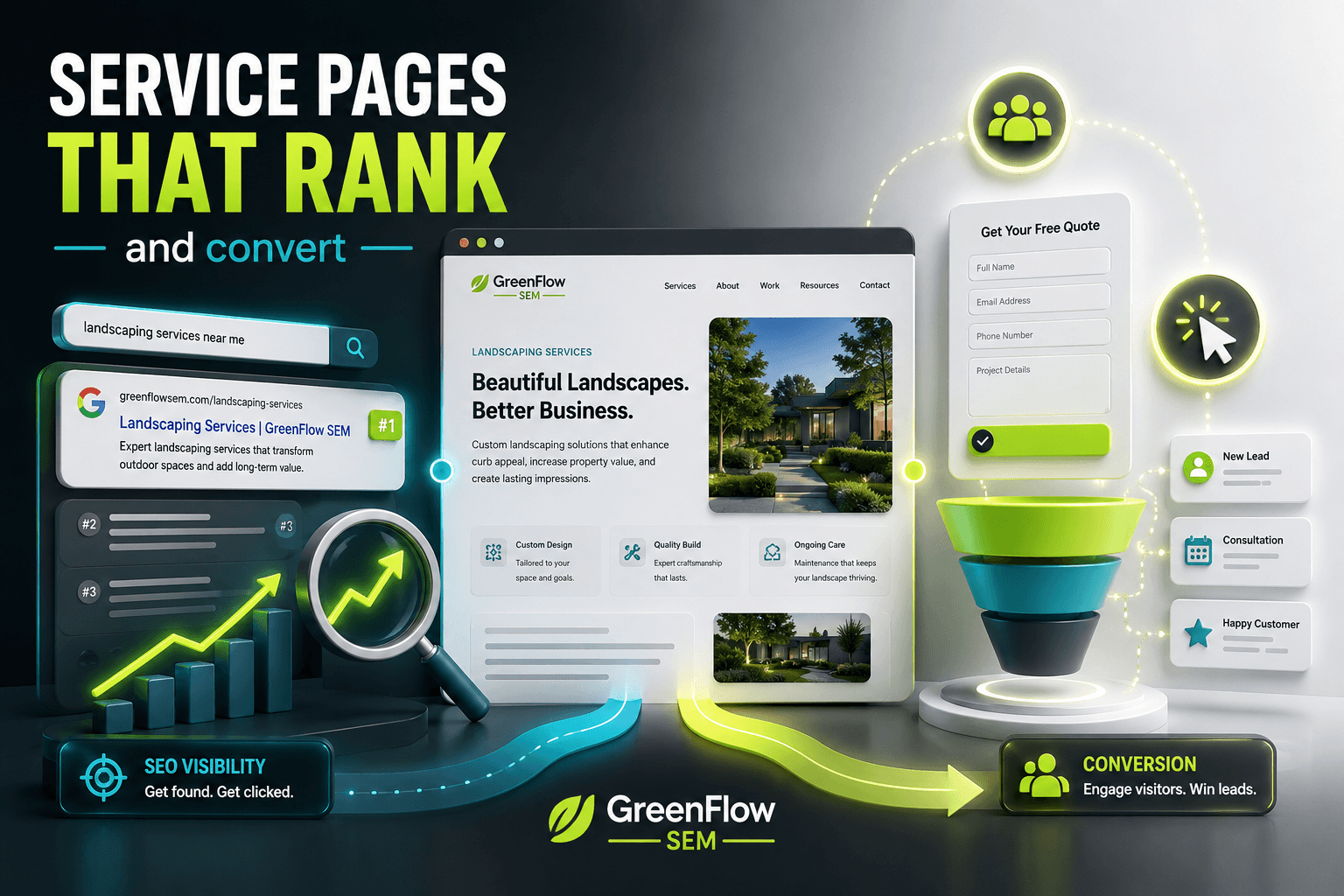
A service page ranks and converts when it does two jobs at once: it gives Google clear signals about what the page is for and where you serve, and it gives a visitor everything they need to decide you're the right choice within the first screen or two. Most service pages fail because they try to do only one of those jobs, not both.
In this guide, we'll walk through the structure, the copywriting choices, and the on-page SEO details that make the difference. This is the same framework we use when we build or rebuild service pages for clients through our SEO and website design work.
Why Do Most Service Pages Fail?
Two failure patterns show up over and over. The first is the page written entirely for search engines: a wall of keyword-stuffed paragraphs, a vague headline, and no clear reason for a human to keep reading. It might rank for a while, but it won't convert, and Google's helpful content systems increasingly penalize pages that read like they were written for algorithms instead of people.
The second pattern is the page written entirely for humans with no SEO structure at all: a nice paragraph or two, a contact form, and nothing that tells Google what service this page covers, what area it serves, or why it deserves to outrank a competitor. This page might convert the handful of visitors who find it, but it will never show up for the searches that matter.
A service page that actually works treats these as the same problem. Clear, specific, benefit-driven writing is also what Google's systems are built to reward, because it's what searchers respond to.
What Structure Should a Service Page Follow?
Visitors don't read service pages top to bottom the way they'd read an article. They scan for the answer to one question first ("do you do what I need, where I am?") and only keep reading if the answer is yes. The structure below is built around that scanning behavior.
SERVICE PAGE STRUCTURE
- HeroABOVE FOLD
- Problem & benefitsSECTION 2
- ProcessSECTION 3
- ProofSECTION 4
- FAQSECTION 5
- Call to actionSECTION 6
The hero section carries the most weight. It needs the service name, the location you serve, and a specific promise, not a slogan. "Concrete Contractor in San Diego" tells a visitor and Google exactly what the page is about. "Building Foundations for Tomorrow" tells neither of them anything.
Everything below the hero exists to remove doubt. The problem and benefits section should speak in the visitor's language, not yours: what result do they want, and what's stopping them from getting it on their own? The process section matters more than most businesses realize, because uncertainty about what happens after they click "contact us" is one of the biggest reasons visitors leave without converting.
How Long Should Each Section Be?
There's no fixed word count, but each section should earn its place. A few guidelines that hold up across most industries:
- Hero: one headline, one subheadline, one call to action, visible without scrolling
- Problem and benefits: 3-5 short paragraphs or a bulleted list of outcomes
- Process: 3-6 steps, each with a one-sentence explanation
- Proof: at least one specific, verifiable result, not just a star rating
- FAQ: 4-8 real questions pulled from actual customer conversations
How Do You Write Copy That Converts Without Sounding Like Every Other Page?
Specificity is what separates a page that converts from one that reads like a template. "We provide quality service" says nothing. "We respond to estimate requests within one business hour" says something a visitor can act on.
The same rule applies to who you're writing for. A homeowner comparing quotes for a patio and a property manager sourcing commercial concrete work are looking for different things, even if the service is technically the same. If your business genuinely serves both, address them separately rather than writing one page that half-answers both audiences.
COPYWRITING CHOICES
- Lead with the customer's problem
- Open with "We are a company that..."
- Use the city and service in the H1
- Repeat 20 keyword variations in the copy
- Answer pricing questions directly
- Hide every detail behind "contact us"
Pricing is worth calling out on its own. Businesses often avoid mentioning cost because every job is different, but leaving pricing out entirely doesn't stop visitors from wanting to know. It just sends them to a competitor's page that answers the question, or back to Google to keep comparing. You don't need exact numbers. A starting price, a typical range, or an explanation of what drives cost up or down all do the job.
Belcrete Concrete Services is a good example of what happens when the page and the ads sending traffic to it are aligned around a specific, honest offer. Tightly targeted campaigns paired with a clear estimate-request page took their conversion rate from 0% to 20-30% while cutting cost per click by more than half. See the Belcrete case study for the full picture.
What On-Page SEO Elements Actually Matter?
SEO for a service page isn't about tricks. It's about giving Google unambiguous, well-structured signals about what the page covers. Some elements matter far more than others.
RANKING IMPACT
- Unique, specific title tagHigh impact
- Schema markup
- Page speed
- Internal links
- Stock photography choices
The title tag is still one of the strongest ranking signals you control directly. It should include the service and, for local businesses, the city or region, written the way a real person would search, not stuffed with every variation you can think of.
Schema markup, particularly Service and LocalBusiness schema, helps Google understand what the page offers without guessing from the prose alone, and it can unlock rich results in search. If you haven't added structured data to your service pages yet, our plain-English guide to schema markup walks through exactly what to add and how.
Page speed affects both rankings and conversions, and the two are more connected than most business owners realize. A slow-loading service page loses visitors before they ever read your carefully written copy. We cover why this happens and how to fix it in our guide to Core Web Vitals.
Internal links matter more than they get credit for. Linking from your homepage, blog posts, and related service pages to each core service page tells Google which pages matter most on your site, and it helps visitors find the exact service they came looking for.
How Do You Build Trust Into a Service Page?
Proof is what turns interest into action. A visitor who has read your entire page and still isn't sure is usually missing one thing: evidence that this has worked for someone like them before.
- Specific, verifiable numbers instead of vague claims ("tripled customer volume" beats "great results")
- Real reviews embedded on the page, not just a link to a review site
- Photos of actual work, not generic stock imagery
- Credentials, licenses, or years in business stated plainly
- A case study or before-and-after when you have one to show
Magnolia Smog Check is a strong example of proof doing real work. Combining a fully optimized local presence with tightly targeted ads and a page that converts on the details visitors actually care about helped the business convert 40-45% of ad traffic and triple its customer volume. Full details are in the Magnolia Smog Check case study.
David's Body Shop shows the same principle from the organic side. A clean, professional service page built around what local customers were actually searching for earned the business a #1 Google ranking for auto body repair in its market. You can read more in the David's Body Shop case study.
Reviews and Google Business Profile signals do double duty here, reinforcing trust on the page and feeding into local map pack rankings. Our Google Business Profile checklist covers how to keep those signals strong.
Should You Build One Page Per Service, or One Page for Everything?
If your business offers more than one distinct service, and each one could reasonably be searched on its own, build a separate page for each. A concrete contractor should have separate pages for driveways, patios, and commercial work rather than one page that tries to cover all three, because each one targets a different search and a different visitor intent.
This is also where location matters. A business serving several distinct service areas should have a page per area, or at minimum a clear service-area section, rather than assuming one generic page will rank everywhere. Our guide to local SEO strategy for San Diego businesses goes deeper into structuring location and service pages together, and Local SEO is included in every SEO plan we manage.
One caution: don't confuse a service page built for organic search with a landing page built for a paid ad campaign. They share a lot of DNA, but a paid landing page is usually narrower and more aggressive about a single conversion path, while a service page needs to satisfy a broader range of search intent and rank without ad spend behind it. We explain the distinction in Landing Pages vs. Homepages.
How Do You Know If Your Service Page Is Working?
Track a small set of numbers rather than trying to watch everything. Organic rankings for the target keyword, organic traffic to the page, and the conversion rate of that traffic (calls, form fills, or booked appointments) tell you almost everything you need to know.
If traffic is climbing but conversions aren't, the page's copy or trust signals usually need work. If conversions are strong but traffic is flat, the issue is usually visibility: title tags, schema, internal links, or backlinks. In the SD Food Truck Pros account, a conversion-focused landing page paired with tightly managed ads generated over 1,500 qualified leads and more than 15,500 landing page views at $0.26 each, which shows what's possible when the page and the traffic strategy are built together. Details are in the SD Food Truck Pros case study.
If you're not sure which side of that equation is holding your pages back, a free strategy call will show you where the gaps are, whether that's page speed, schema, content depth, or something else entirely.
Key Takeaways and Your Next Steps
Service pages that rank and convert do both jobs on purpose. They give Google clear, specific signals about what the page covers and where you serve, and they give visitors a fast, honest answer to the question that brought them there.
- Follow the six-section structure: hero, problem and benefits, process, proof, FAQ, call to action
- Write specifically, not generically. Name the service, the city, and the actual outcome
- Don't skip pricing entirely; give a starting point or a range
- Add schema markup and check your page speed before chasing more content
- Build one page per distinct service and service area, not one page trying to cover everything
This week, pick your single most important service page and run it through this checklist. Read the hero out loud. Would a stranger know exactly what you offer and where in five seconds? Check whether it answers a real pricing question. Look up its title tag and see if it names the service and the city.
If you'd rather have a specialist rebuild your service pages around this structure, that's exactly the kind of work we do through our SEO and website design services. Book a free strategy call to see where your current pages stand and talk through what a rebuild would look like for your business.