Local SEO for Multi-Location Businesses
Local SEO gets complicated with multiple locations. Learn how to structure Google Business Profiles, location pages, citations, and reviews that scale.
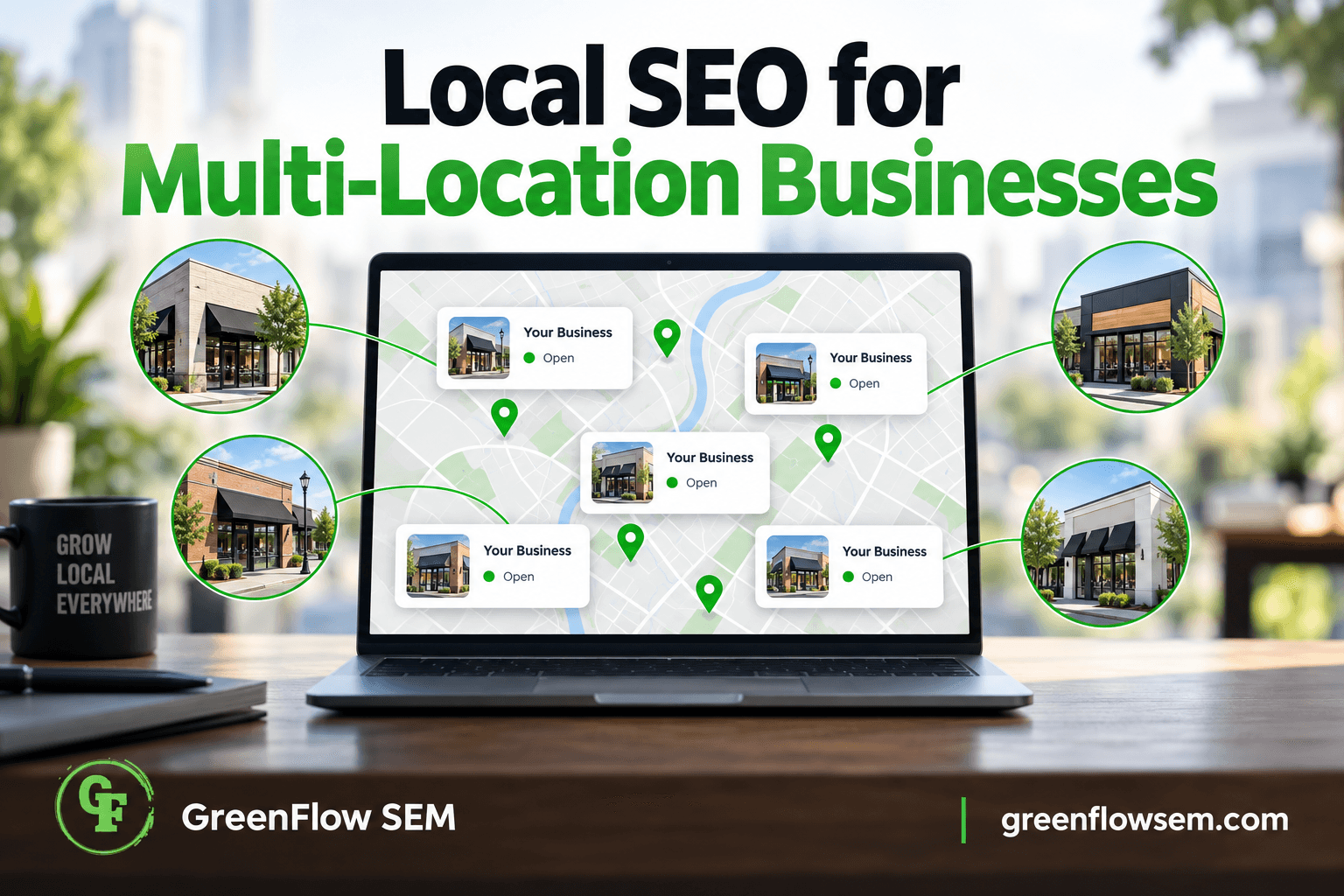
Local SEO for multi-location businesses uses the same building blocks as single-location local SEO, just repeated correctly across every address: a claimed Google Business Profile, consistent name-address-phone information, localized content, and steady review generation for each location. The difference is scale. What works fine as a manual, one-off process for a single storefront breaks down fast once you're managing five, twenty, or two hundred locations.
Get the structure right early and each location can rank in its own map pack without competing against your other locations or drowning in duplicate content. Get it wrong and you end up with suspended profiles, cannibalized rankings, and a support team fielding calls meant for a location three states away. This guide walks through the specific decisions multi-location businesses need to make, from profile setup to rollout process to ongoing tracking.
What Is Local SEO for Multi-Location Businesses, Exactly?
At its core, local SEO answers one question for Google: which business is the best, closest, most relevant result for this search? Multi-location local SEO asks that question separately for every address you operate, then makes sure Google (and searchers) can tell your locations apart.
That means each location needs its own Google Business Profile, its own local landing page, its own citations, and its own review flow, all while staying consistent with your brand's core information. It also means building a repeatable process, because manually configuring local SEO for each new location the way you'd handle a single small business doesn't scale past a handful of sites.
Businesses that get this right treat each location as its own local entity operating under one brand. Businesses that get it wrong tend to template everything, which creates duplicate content and location pages that never rank for anything specific.
How Should You Structure Google Business Profiles for Each Location?
Every physical location that serves customers in person needs its own Google Business Profile tied to its own street address. This isn't optional and it isn't something you can work around with a shared listing, even for locations that are close together or share a phone number.
One Profile Per Physical Address
Google's guidelines are specific here: a business gets one listing per physical location. Two locations sharing an address, or one location trying to represent multiple business lines, will eventually get flagged, merged, or suspended. If you operate service-area businesses without a public storefront, Google has separate rules for hiding the address and defining a service area instead.
Use Business Profile Manager for Bulk Management
Once you're past three or four locations, manage them through Google's Business Profile Manager rather than logging into individual accounts. It lets you organize locations into groups, apply bulk updates to hours or attributes, and assign location managers with limited access, which matters once franchisees or regional staff are involved.
A clean setup process for each new or existing location generally looks like this:
- Audit for existing or duplicate listings tied to the address before creating anything new
- Claim and verify the location with its exact legal or DBA business name
- Assign a consistent primary category across locations, with secondary categories added only where genuinely relevant
- Use a local, location-specific phone number rather than a centralized call center number where possible
- Write a unique business description that references the specific neighborhood or service area
- Upload photos taken at that specific location, not stock or corporate imagery reused everywhere
Our Google Business Profile Optimization checklist covers the full setup in more depth, and our breakdown of how ranking factors work in the map pack is worth reading before you touch a single listing, since the same three factors (relevance, distance, and prominence) apply to every location you manage.
Do You Need a Separate Landing Page for Every Location?
Yes. A dedicated page per location, hosted on your own domain, gives Google a clear page to associate with that Google Business Profile and gives customers a page built for their specific city or neighborhood. Sending all location traffic to one generic "contact us" page or a homepage undermines both.
What Belongs on a Location Page
The mistake most multi-location businesses make is treating location pages as a mail-merge exercise: swap the city name into a template and call it done. Google recognizes near-duplicate content across a domain, and thin, templated location pages rarely rank for anything. Each page needs enough unique substance to justify its own existence.
- A unique title tag and heading that name the specific city or neighborhood
- An embedded Google Map and the location's exact address, hours, and local phone number
- Photos of the actual staff, storefront, or vehicles at that location
- Testimonials or reviews specific to that location where you have them
- Local business schema markup identifying the address, hours, and service area
- Content describing what makes that location distinct: parking, service radius, specialties, or staff
If you're building or rebuilding these pages, our guide to schema markup for small business websites explains how to mark up each location correctly, and writing service pages that rank and convert applies directly once you combine service and location pages (for example, "emergency plumbing in La Mesa"). A website built for this structure from the start makes ongoing management far easier than retrofitting templates later.
How Do You Keep NAP Consistent Across Dozens of Listings?
NAP stands for name, address, and phone number, and consistency across every place it appears online is one of the oldest and still one of the most reliable local ranking signals. For a single location, staying consistent is simple. Across dozens of locations, small inconsistencies creep in constantly: a suite number dropped here, an old phone number surviving on a directory there.
NAP INCONSISTENCY AND ITS EFFECT
- Old phone number listedLost calls
- Suite number missingConfused customers
- Duplicate GBP createdSuspended profile
- Business name variesDiluted rankings
- Unclaimed data aggregatorOutdated everywhere
Each of these looks minor in isolation. Together, across dozens of locations and hundreds of directory listings, they add up to a confusing signal that makes Google less confident about which information to trust and display. That uncertainty shows up as lower map pack visibility even when the on-page SEO is otherwise solid.
Fixing this at scale means auditing the major sources at least twice a year rather than assuming a one-time setup holds forever:
- Google Business Profile and Bing Places for each location
- Apple Maps and Apple Business Connect
- Yelp, and any industry-specific directories relevant to your category
- Data aggregators like Data Axle and Foursquare, which feed dozens of smaller sites automatically
- Your own website's footer, contact page, and location pages
How Should You Handle Reviews Across Multiple Locations?
Reviews are one of the strongest local ranking and conversion signals you control, and they're also one of the hardest things to manage consistently once you have more than one location generating them. A single-location business owner can check reviews once a day. A twenty-location operator needs a system.
A workable process usually includes:
- An automated review request sent by text or email shortly after service, tied to the correct location
- Notifications routed to the specific location manager, not just a central marketing inbox
- Response guidelines that stay personal and location-specific rather than copy-pasted corporate language
- Regular monitoring of review velocity and rating trends by location, not just company-wide
We cover the mechanics of this, including why asking directly still beats gimmicks or incentives Google prohibits, in how to get more Google reviews without begging. The same approach works at one location or fifty; the only difference is who's responsible for triggering it at each site.
What's the Rollout Process When You Open a New Location?
Opening a new location without a defined local SEO rollout plan means that location starts invisible on Google for weeks or months longer than it needs to. A defined sequence closes that gap.
NEW LOCATION ROLLOUT
- Pre-launch auditWEEKS 1-2
- Profile creationWEEKS 2-3
- Citation build-outWEEKS 3-4
- Review generationWEEKS 4-8
- Ongoing optimizationMONTH 3+
The pre-launch step matters more than it looks. Confirming the exact legal business name, address format, and category before anything goes live prevents the duplicate-listing problems that are much harder to unwind after the fact. Locations that skip this step tend to end up with two competing Google Business Profiles for the same address within the first year.
Review generation shouldn't wait until month three either. The earliest reviews carry outsized weight for a brand-new profile with no history, so getting the first handful of happy customers to leave reviews in the first few weeks helps the location establish credibility faster. Our month-by-month breakdown of local SEO services walks through what a realistic timeline looks like once a location is live and the work shifts from setup to maintenance.
How Do You Track Performance Across All Locations?
Reporting is where a lot of multi-location operations quietly fail. Company-wide averages hide the fact that three locations are thriving while two others haven't ranked for a target keyword in over a year. Tracking needs to happen at the location level, then roll up.
- Map pack ranking for each location's core keywords, tracked from that location's geography, not headquarters
- Google Business Profile insights: calls, direction requests, and website clicks per location
- Call tracking numbers on each location page to attribute phone leads accurately
- Review count and average rating trend by location, checked monthly
- A basic citation accuracy check per location on a recurring schedule
If you're also running paid search alongside organic local SEO, the same location-level discipline applies there. Our guide on seasonal Google Ads budget adjustments and Google Ads metrics every business owner should know both apply per location once you're running ads for more than one site.
Common Multi-Location SEO Mistakes to Avoid
Most of the local SEO problems we see in multi-location accounts trace back to a small set of repeated mistakes, usually made in the interest of saving time during a fast expansion.
MULTI-LOCATION SEO: DO THIS, NOT THAT
- One GBP per physical location
- One shared listing for two nearby addresses
- Unique content on every location page
- City name swapped into a copy-pasted template
- Local phone number on each location page
- Closed or moved locations left live online
The last item deserves special attention. When a location closes, relocates, or changes its name, every listing tied to the old information needs to be updated or removed. A stale Google Business Profile for a location that no longer exists still shows up in search results, sends customers to the wrong place, and damages trust in the entire brand.
Duplicate content is the other recurring issue. Google can tell when fifty location pages share 90 percent of the same sentences with only the city name changed, and it responds by ranking none of them well. The fix isn't more pages, it's more genuine, location-specific substance on the pages you already have.
FAQs
Key Takeaways and What to Do This Week
Local SEO for multi-location businesses is the same fundamentals as single-location local SEO, applied consistently and repeatably across every address: one Google Business Profile per location, a genuine local landing page per location, consistent NAP everywhere your business is listed, a steady review process, and location-level tracking so no site quietly falls behind.
A few things you can do this week without any outside help:
- Search each of your locations by name and address to check for duplicate or outdated Google Business Profiles
- Spot-check NAP consistency across your top five directories for three random locations
- Read through two of your location pages back to back and note how much text is identical between them
- Confirm review requests are actually going out after service at every location, not just the busiest ones
This work adds up quickly once you're past a handful of locations, and a lot of the value comes from doing it consistently rather than doing it once. If you'd rather have a team build and maintain the process for you, our Local SEO plans are included in every SEO service we run, or you can start with a free SEO audit to see where your current locations stand before deciding what to fix first.